Background
Dummy content was slowing every layout down.
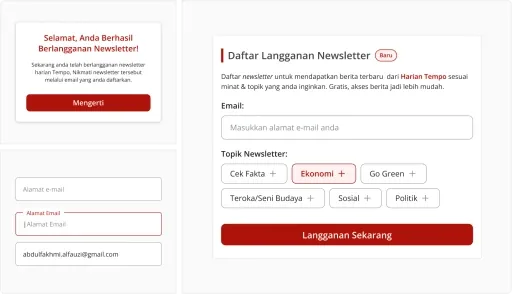
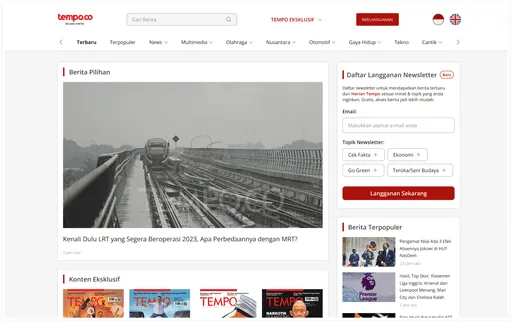
As a UX Designer at Tempo, I repeatedly faced a challenge in the design process: manually filling dummy content into mockups. Every time I designed an article layout, I had to fill in the title, author name, category, date, and thumbnail one by one. This process was time-consuming, repetitive, and inefficient, especially when working with dozens of layout variations.
Problem
Placeholder text hid how real news would look.
- Time lost to copy-pasteDesigners spend significant time copying and pasting dummy content into designs.
- Lorem ipsum misleadsPlaceholder content like "Lorem ipsum" does not represent actual news content, making it difficult to evaluate the layout realistically.
- Manual image fillingManually filling thumbnail and author images into many frames is exhausting.
- No tool for news layoutsThere is no tool specifically designed for media/news layouts in Figma.
Research & Ideation
Start from the components designers fill most.
I identified the most frequently used component patterns in Tempo article layouts: article title, article body, author name and bio, category, publication date, article thumbnail, and author photo.
From there, I grouped the requirements into three main modes:
- 1Text (title, body, author, category, date)
- 2Image (thumbnail, author photo),
- 3Text and Image (can fill both text and image at once)
Data Collection
41 real Tempo articles as the content source.
I collected 41 real news articles from Tempo website, complete with titles, bodies, author names, bios, categories, and dates, so the content generated by the plugin feels realistic and relevant to the Indonesian editorial context.
Design & Development
Pick a type, preview it, fill in one click.
A. Tab System
The goal of this plugin is to fill content automatically, but before doing so, the user needs to know what content they want to insert. Initially, I intended to add tabs with three content types and their details as follows:
- Text (Article Title, Article Body, Author, Bio, Data, Category)
- Image (Photo)
- Text & Image (Thumbnail & Title, Photo & Author)
With these tabs, users can choose the content that matches their needs based on the content type and details. Specifically for Text & Image, the plugin can fill both text and image in one click, such as using an author photo with their name or a thumbnail with the article title.
B. Preview and Data Management
After the user selects the desired content type, a detailed view and preview are required so the user understands what the content type contains and does not have to guess.
On the detail page, the plugin features search, add, edit, and delete data directly. Users have full control over the content database.
C. Additional Features: Auto Detect & Shuffle
When I tried the plugin, I thought it would be more efficient if it had an auto-detect feature (automatically detecting content type based on layer name characteristics and character length) and shuffle (randomizing the placement order). This way, users would not need to click on the content type and its details first, which would speed up the design process.
Challenges
Working around Figma's plugin limits.
Some technical challenges I resolved:
CORS Limitation
Figma plugin iframes cannot fetch images from external domains. Solution: I embedded author photos as Base64 directly in the plugin, avoiding external server dependencies.
Instance Support
Initially, the plugin could not fill content inside component instances. I added error handling and expanded node detection to support instance children.
Auto Detect Logic
I built an automatic detection algorithm that analyzes layer names and text character length to determine content types (title, category, date, etc.) without requiring users to select them manually.
Features
Small tools that remove repetitive work.
- One-click fillFill in realistic news content with one click across the selected frames.
- Supports 9 types of contentArticle title, Article body, Author name, Author bio, Date, Category, Photo, as well as composite Thumbnail+Title and Photo+Author Name
- Auto DetectAutomatically recognizes the type of content from the layer name and text characteristics.
- ShuffleRandomizes the placement order to make content variations feel natural.
- Preview & EditUsers can view, search, add, edit, and delete data directly from the plugin.
- Works within an instanceSo users can fill in content in the component instance, not just a regular frame.
Impact
From 45 minutes to 5 seconds per frame.
- 1Reduced the time spent filling dummy content from 30–45 minutes to 5 seconds per frame.
- 2Realistic content makes the layout look like the actual product, helping stakeholders evaluate it more accurately when previewing the website or app.
- 3Eliminated repetitive tasks, allowing designers to focus on more strategic design decisions.
Limitation
Still internal, and hard to fine-tune.
- Unfortunately, the plugin’s UI and UX are somewhat difficult to customize manually because they rely on prompts to change the UI and UX.
- The plugin can only be run internally and cannot be published because Figma does not yet have a share/submit plugin feature.